

Healthy Meals, Inc. Mobile App

The HMI Client App is your personal connection to Healthy Meals, Inc. — available instantly on any smartphone, no app store required. Once installed, it lives on your home screen just like a regular app.

With the HMI App you can:

  • Request HOLD dates for your meal deliveries
  • Send us a message anytime
  • Refer a friend and earn a FREE week of meals
  • Receive announcements, promotions, and weather/delivery notices directly from our office
  • Track your personal wellness progress including weight, activity, and health goals

The app is free and exclusively available to all HMI clients.

Scan or tap this code with your phone to get started!

Installing the App

No app store, no download, no updates, just tap and add to your home screen.

Get Started

Installation Instructions

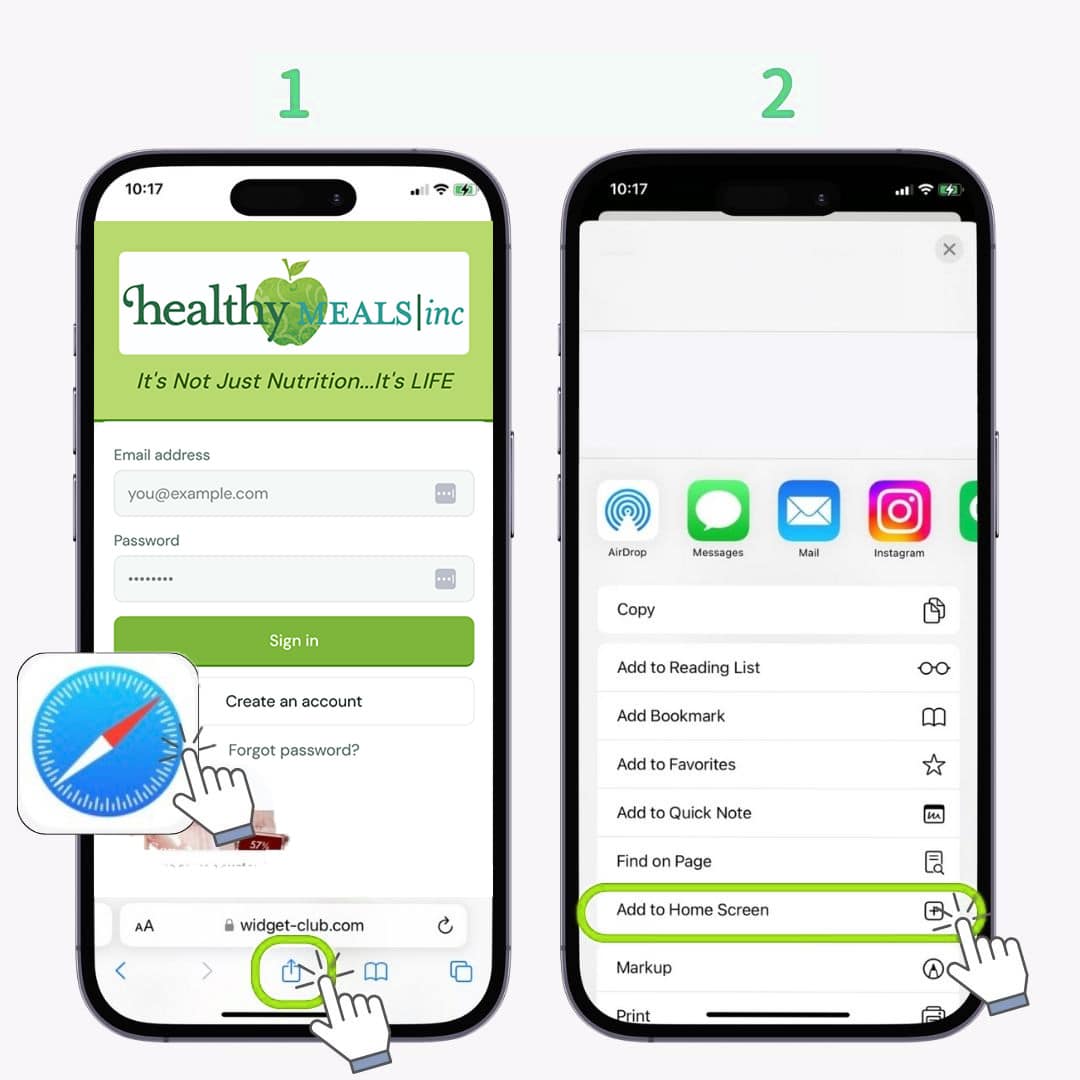
  1. Open Safari on your iPhone and go to hmi-client-app.netlify.app
  2. Tap the Share button at the bottom of the screen (the box with an arrow pointing up)
  3. Scroll down and tap “Add to Home Screen”
  4. Tap “Add” in the top right corner
  5. The HMI app icon will now appear on your home screen — tap it to open just like any app

Important: This must be done in Safari, not Chrome or another browser, for the Add to Home Screen option to appear.
Click to Expand

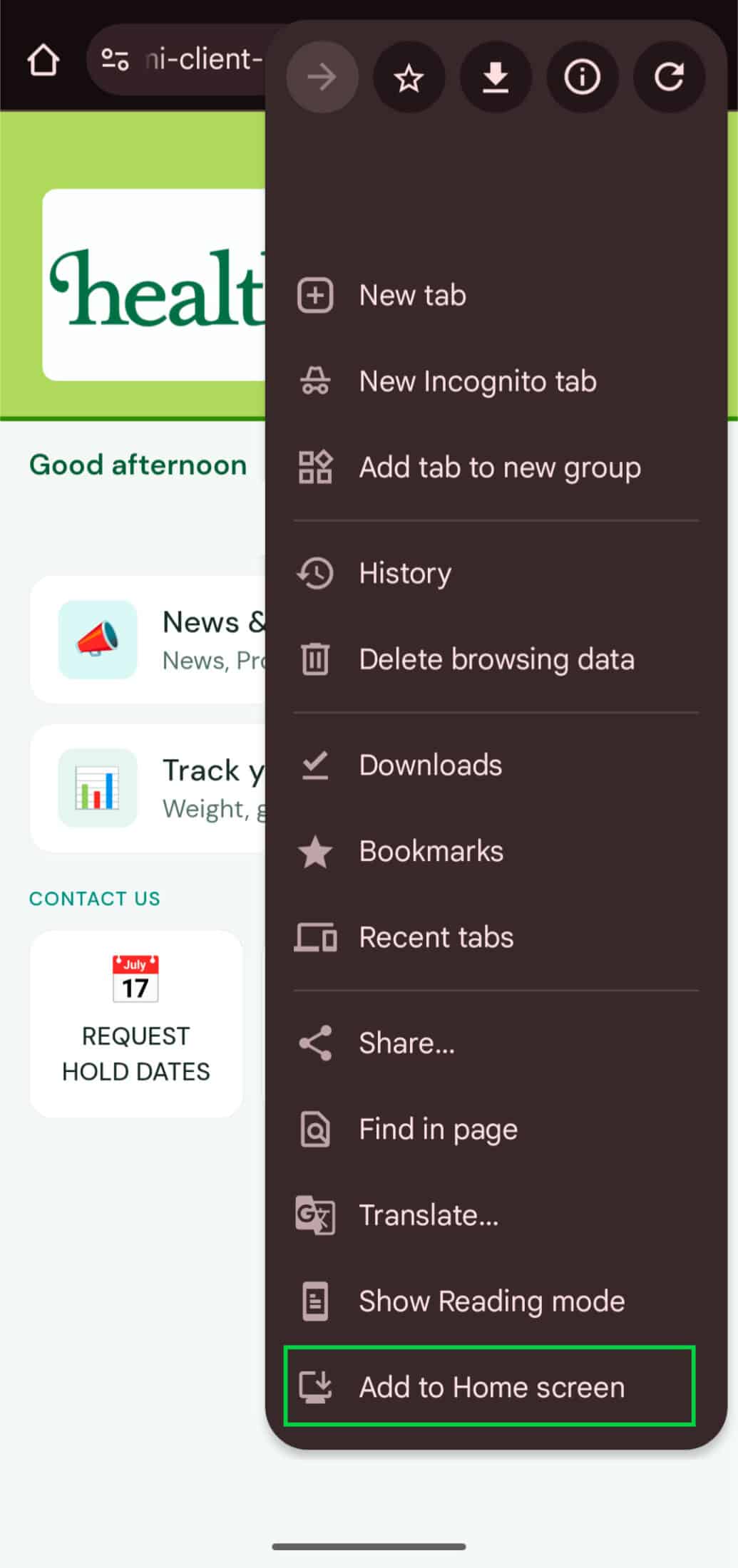
These instructions are for Chrome, but will work similarly for most other modern browsers running on Android.

  1. Open Chrome on your Android phone and go to hmi-client-app.netlify.app
  2. Tap the three dots menu (⋮) in the top right corner of Chrome
  3. Tap “Add to Home Screen”
  4. Tap “Add” to confirm
  5. The HMI app icon will now appear on your home screen

Tip: Some Android phones may show a banner at the bottom of Chrome that says “Add HMI to Home Screen” — you can tap that instead.

  1. Open the HMI app from your home screen or by visiting hmi-client-app.netlify.app
  2. Tap “Create an account”
  3. Enter your first name, last name, email address, and create a password
  4. You’re in! Complete the short wellness profile setup to personalize your experience

Already have an account? Simply tap “Sign in” and enter your email and password. Forgot your password? Tap “Forgot password?” on the login screen and we’ll email you a reset link.